What it does
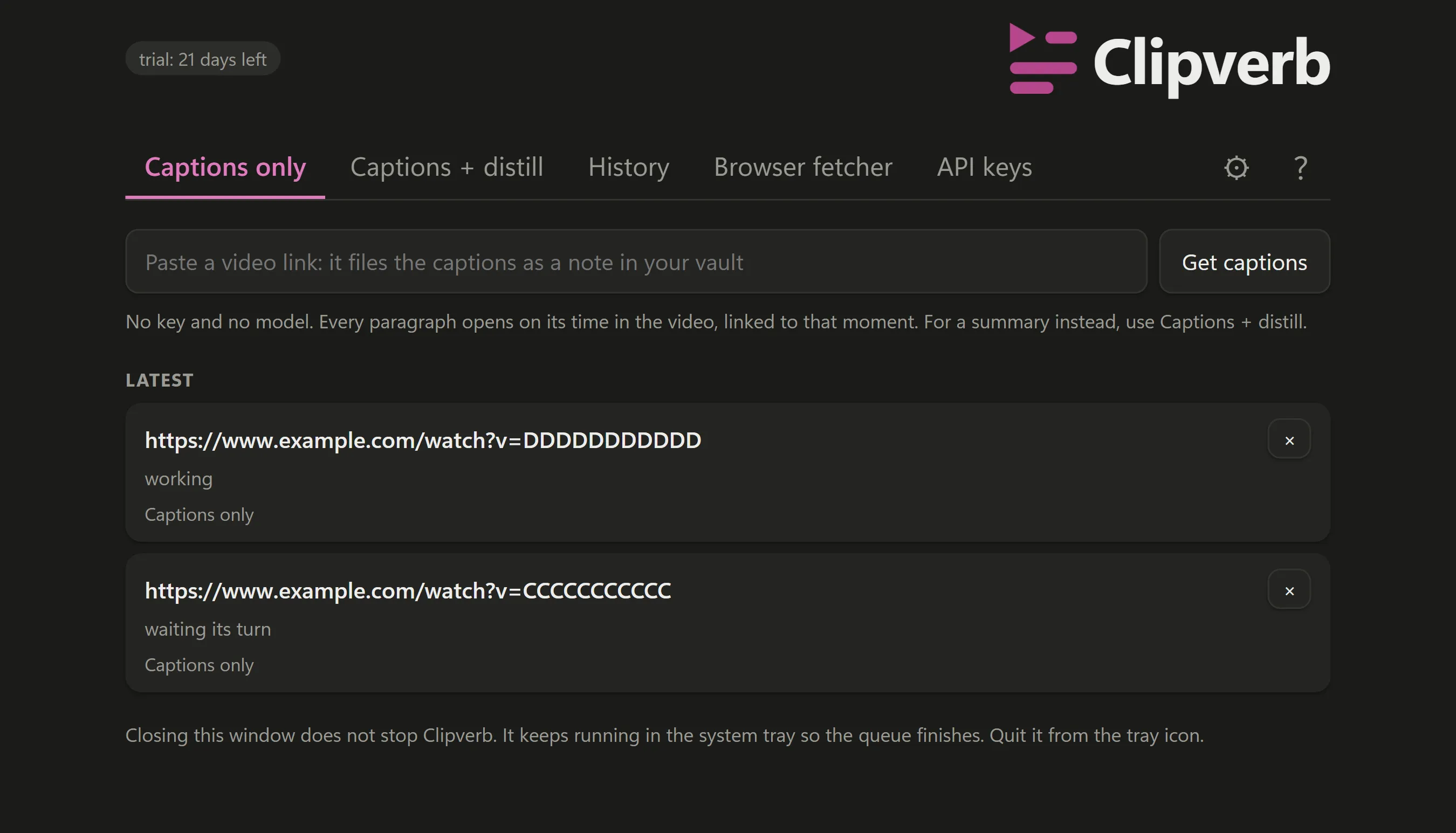
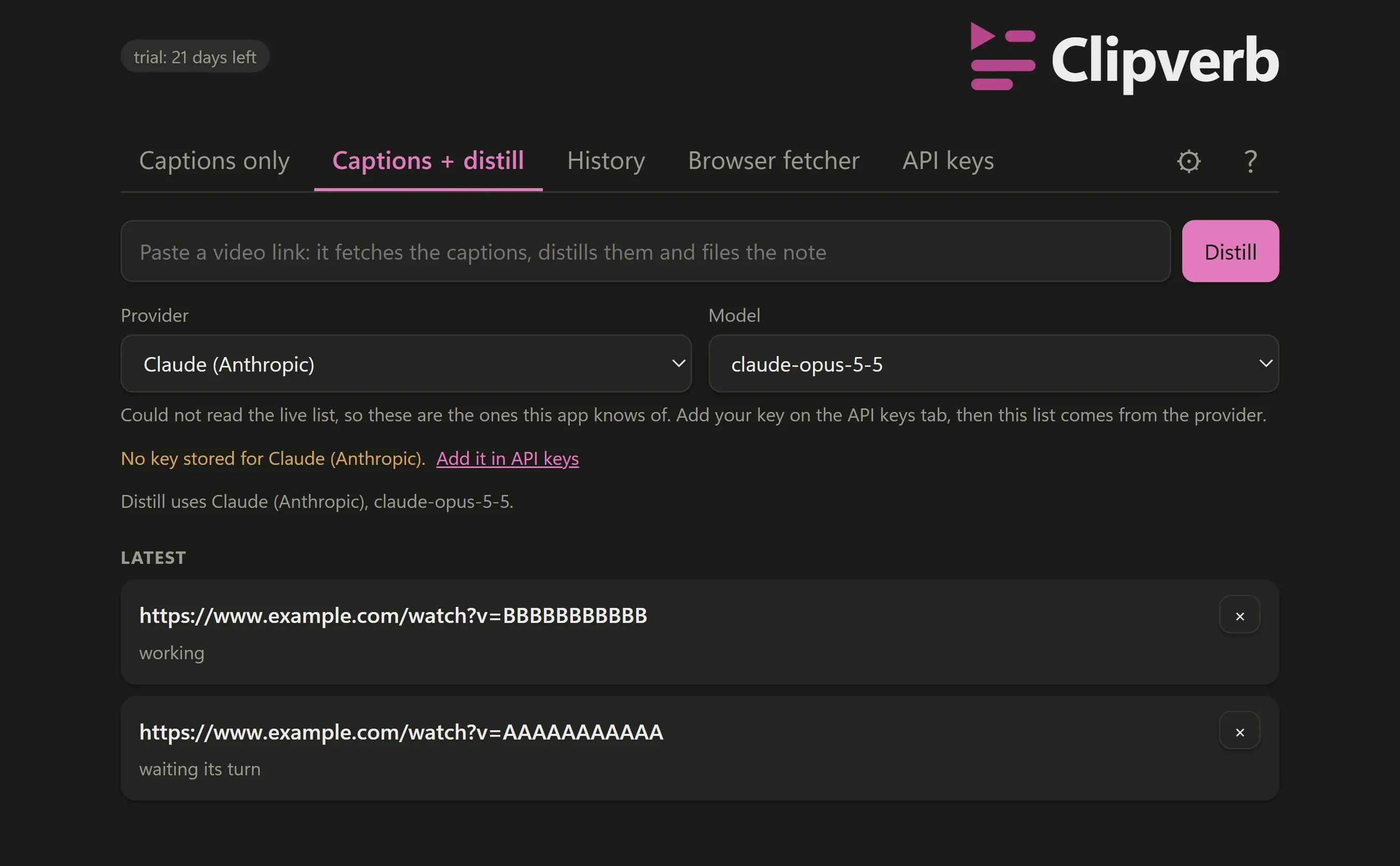
Clipverb turns a video link into a Markdown note in a folder you choose, two ways. Captions only files the video's own captions, each paragraph linked to its moment, with no key and no model. Captions + distill sends the transcript to the AI provider you chose, on your own key. One-time purchase.
Captions only
The captions the video already has, filed as a note in paragraphs, each opening on its time in the video and linked to that moment. No API key, no AI model, no account anywhere, and nothing per video. It is the tab the app opens on.
Captions + distill
Bring your own API key, or run Ollama on your own machine, and the transcript goes to the one provider you selected and to no other. Your provider bills you directly, and nothing of ours sits in between. The key lives in the operating system's own credential store and never enters the app's window.
Paste a link, walk away
Drop video links in from either tab and they queue. The queue is written to disk, so it survives a restart and an item caught mid-flight is requeued rather than lost.
Your folder, your files
Notes are plain Markdown with YAML frontmatter, written straight into the vault you already use, in either mode. Nothing is stored inside Clipverb, and an existing filename is never silently overwritten.
A failed link is retried
A failed link is retried on a widening delay, then marked on its own row.
It keeps working from the tray
Clipverb keeps working from the system tray when the window is closed.
Questions
Do I need to pay for anything else?
Not for Captions only: it needs no key and no model, only a folder. Captions + distill uses your own API key, and that provider bills you directly for what you send it. Clipverb never charges you per video and never holds your key.
Where do my notes go?
Into a folder you pick, as ordinary Markdown files with YAML frontmatter. Nothing is stored inside Clipverb and nothing is locked in.
Does anything I paste reach your servers?
There are no servers of ours. In Captions only the transcript goes nowhere. In Captions + distill it goes to the AI provider you chose, on your own key and your own account, because that is what distillation is. The privacy page enumerates every destination.
Which videos work?
Videos that have captions, in either mode. Clipverb files captions the video already has; it never works from audio and never downloads media, so a video with no caption track of any kind cannot be filed.
What does a video cost to process, and how long does it take?
Captions only costs nothing per video. For Captions + distill the cost is whatever your own provider charges for the transcript you send it. Time has not been measured in either mode, so it is not stated here.
Is there a macOS build?
Not today.
Privacy
What it collects: Nothing, and the reason is structural rather than a promise: Clipverb has no backend, no account, no login and no telemetry, because it has no server at all. What exists on your own machine is a small settings file, a queue file, and your API key, which is held in the operating system's credential store rather than in either file. What leaves your machine: Four things, and this is the complete list of what Clipverb's own code asks for. A request to the video site the link points to, to get the caption track and then the captions themselves. The transcript, and a request for its list of models, to exactly one AI provider, the one you selected, and to no other; if the provider you select is Ollama, it runs on your own machine and the transcript stays there. A connection to your own machine at the loopback address, which is the optional browser helper talking to the app and never leaves the computer. And that optional helper, the Clipverb Fetcher extension for Chrome, requests the YouTube video page and YouTube's player address with your browser's own YouTube cookies, to read the caption track and the caption file. It fetches captions only, never video or audio, and sends nothing to any server of ours. It keeps only its pairing code and port in the browser's own extension storage. There is no telemetry, no crash reporter, no update check and no licence call. This is enumerated from the source rather than measured: this product's outbound traffic has not been watched, and it makes no claim about Microsoft's WebView2, the component that draws the window.
What it costs
A one-time purchase, not a subscription. Captions only needs no key; Captions + distill uses your own API key.
Pricing is set at release. It will be a one-time price, not a subscription.
Also from the studio
Questions or problems: support@hardboundstudio.com. A person reads every message.